1. No Wifi / Check Wifi Connection or No Internet / Check internet
The scanner cannot connect to the internet. If you experience this message please do the following
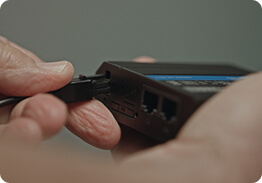
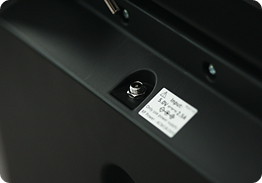
Double check the power cord is fully connected to the wireless router and plugged in.
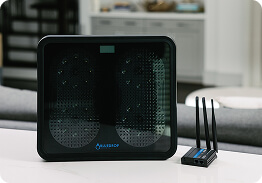
Ensure that the Wi-Fi router is in range of the scanner. We suggest keeping in the same room as your scanner.
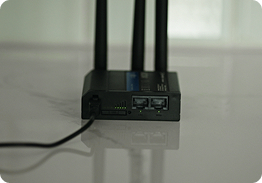
Check the router to confirm it is connected to a network by looking at the back near the power cable. You will see 5 green lights. If they are blinking, this means the router is still trying to connect. If you see that only one or two of the lights are green consistently, this may mean the router is in a location with less reception.
You may have a similar experience with your cell phone. If this is the case, we recommend moving the router to another location in your home where you would generally have good reception on your cell phone. If you move the router to a different room, we suggest moving the scanner to that room as well.
If you have used the scanner before, you may need to simply reset the router. You can do so by unplugging the router and plugging back in after approximately 1 minute. We suggest doing the same with the scanner after reseting the router. Once both devices have been reset, you should see the message clear within 5-10 minutes, but could take up to an hour.
2. Scan Failed
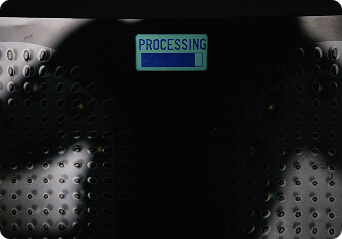
The scan has failed to complete. Please try to take another scan. If the problem persists we recommend power cycling the device. This can be done by unplugging it and plugging it back in plugging It back in after 1 minute.
We also recommend you ensure that the power cable is fully inserted into the back of the device. If these do not solve the issue then please contact your Bluedrop Specialist
3. Scan Cancelled
The scan has been cancelled. This can be caused by stepping off the scanner or by moving while a scan is being taken. Please step back onto the scanner to take a scan.
4. Device too cold
The scanner has detected that it is below the recommended operating temperature (<50 F). Please move the scanner. to a location where it is warmer and allow it to heat up to operating temperature. This can take up to 2 hours. When the device no longer displays this message it is ready for a scan to be taken.
5. Device too warm / move away from heat
The scanner has detected it is close to a heat source, is in sunlight or is over its maximum termperature (>95 F). Please move the scanner away from the heat source and allow its temperature to return to normal. This can take up to 2 hours. When the device no longer displays this message, you are ready to scan.
6. Error / Max Weight / Over 330LB
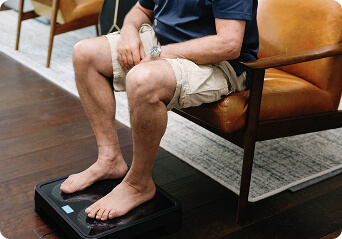
The scanner has detected that a load of over 330lbs has been placed on the scanner. If you weigh over 330lbs please use the scanner from a seated position. Place your feet in the required locations, ensuring good contact with the glass surface. Do not move your feet while the scan takes place. You may need to lean forward slightly to active the scan.
7. Error / Contact Support
An error has occurred with the scanner. Please power cycle the device by unplugging it and plugging it back in. If the problem persists contact your Bluedrop Specialist
Contact Us
If you are unable to reach your Engagement Specialist, you can also contact us using the information below. If this is a medical emergency, please contact your physician or other medical professional